Step 1: Log in to the Community
- Open your browser and go to https://community.theimpactspace.org.
- Log in using your username/email and password.
Step 2: Navigate to Account Settings
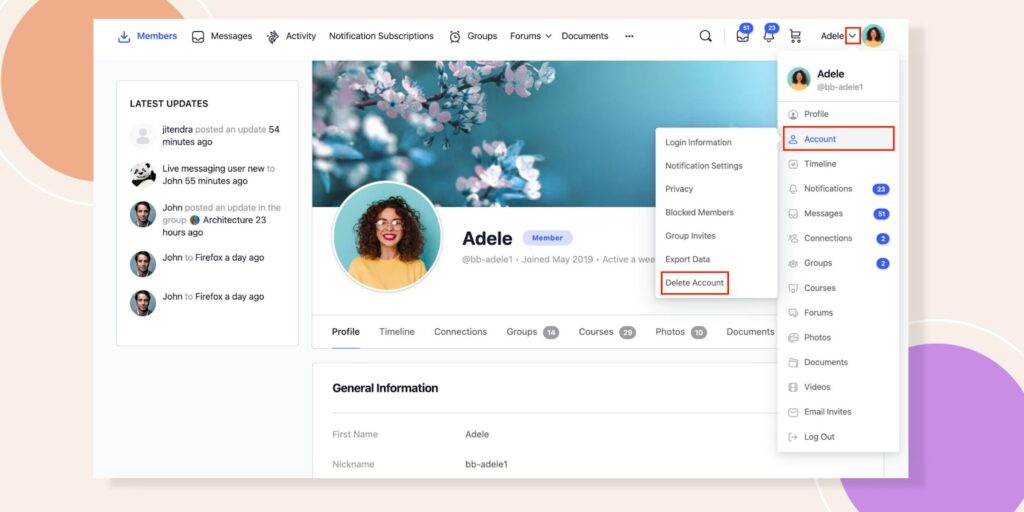
- Click on your profile picture or avatar in the top-right corner of the page.
- From the dropdown menu, hover over Account and click on Delete Account.
Step 3: Confirm Deletion
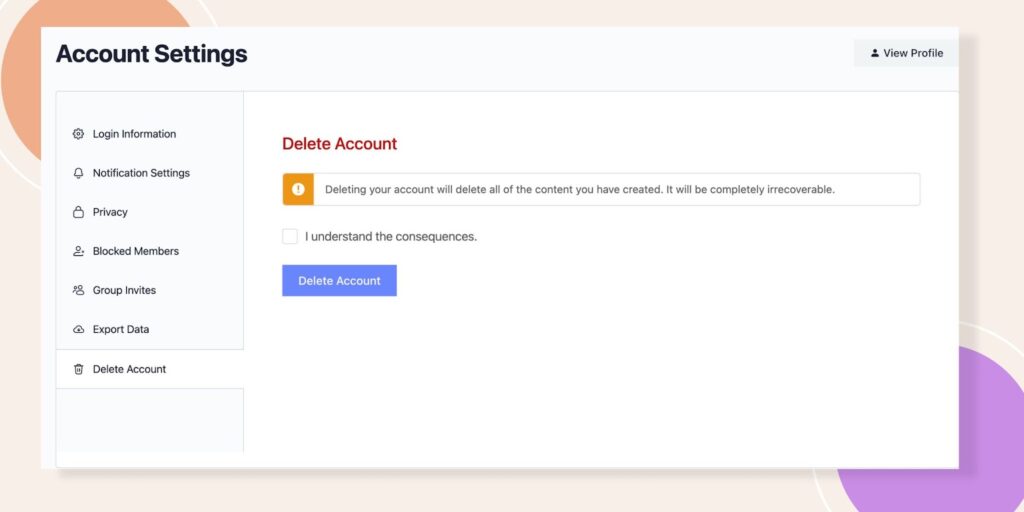
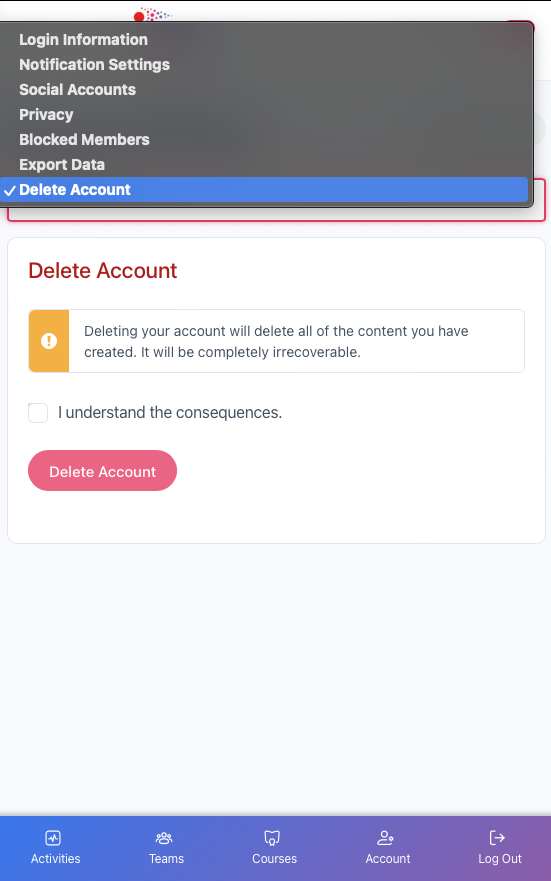
- You will be redirected to the Delete Account page.
- Read the warning message carefully, as deleting your account will permanently remove all associated data and content.
- Check the box next to “I understand the consequences” to confirm your acknowledgment.
Step 4: Complete the Process
- Click the Delete Account button.
- Your account and data will be permanently deleted.
For Mobile Users:
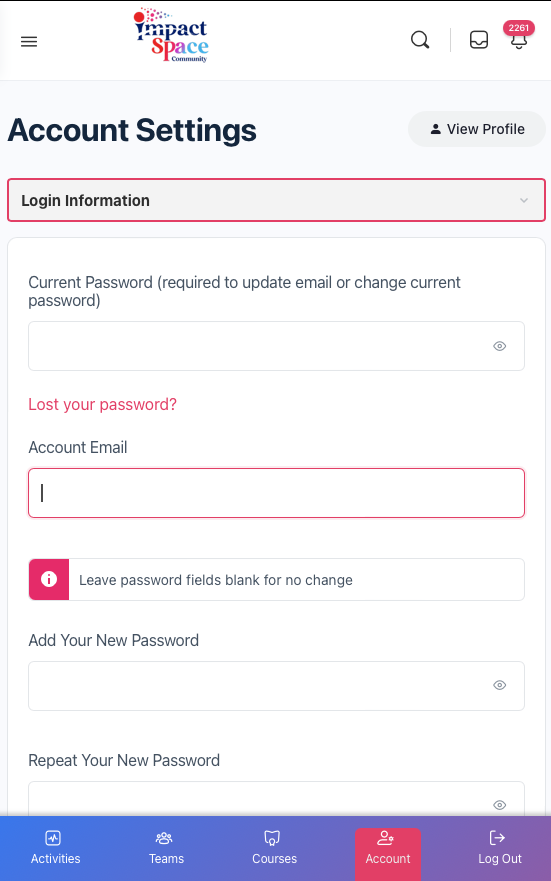
If you are on a mobile device, click on the bottom navigation account link, select the drop-down menu at the top of the page, navigate to the account deletion option, confirm, and delete.